Saving in GTA 6
How saving works in GTA 6 - the 15 slots, the auto-save, going back to an old save, what to do before each chapter ends and what happens after the story.
Updated
The short version
- Save by hand before you stop playing. The auto-save only runs at certain moments.
- You get 15 slots, plus one auto-save that the game looks after.
- You cannot name a save. The game labels each one for you.
- Every slot is its own copy of the game. Loading one does not change the others.
- There is no mission replay. An old save is the only way back.
- Each chapter ends with a mission you cannot undo. Save before it.
- You can keep playing after the story ends.
How to save
- Press Options Menu to pause.
- Choose Game.
- Choose Save Game.
- Pick a slot.
Loading is on the same Game screen. Choose Load Game and pick the save you want.
What a save looks like
You cannot type a name for a save. The game writes the label itself, as in the picture above. Each save shows:
- The mission you are on, or the last one you finished.
- A percentage for how far through the game you are.
- The date and time you saved.
Highlight a save and you also get a picture and a line about that mission.
Saves from the same stretch of the game can look alike. The date and time are the quickest way to tell them apart.
To delete a save, highlight it and use the Delete button shown at the bottom. On PlayStation that is Square .
Image courtesy of Rockstar Games
The auto-save
There is one auto-save. It is separate from your 15 slots, and it sits at the top of the Load list.
Each new auto-save replaces the last one. There is never an older one to go back to.
The game auto-saves:
- When you finish a mission.
- When you are wasted or busted.
- After some big moments in the open world.
It does not auto-save while you are in a fight or falling.
Some launch guides count the auto-save as one of the 15 slots. The save screen itself shows 15 slots without it.
When you cannot save
If Save Game is greyed out, it is one of these.
- You are on a mission. That covers side missions too. If you fail, the game puts you back at a checkpoint, so you do not need a save for that. The pause menu lets you retry the checkpoint, restart the mission or quit it. Once you quit, you can save again.
- The police are after you. Lose them first.
- Something has only just finished. Right after a mission, a phone call or an objective, the option can stay grey for a moment. Step out of the building or the car and try again.
- You are at the very start of the game. Players report that saving by hand opens up a mission or two after you first take control of Jason.
- You have turned on a cheat. Cheats switch saving off. To get it back, close the game and load a save made before the cheat.
Image courtesy of Rockstar Games
Going back to an old save
Each slot is a separate copy of the game, stopped at the moment you saved it.
- Loading a slot takes you to that moment. Nothing you did after it is in that copy.
- Your other slots are not touched. Your main game is still in its own slot, as long as you saved it by hand.
- You can load any slot at any time, in any order.
- The copies never join up. Money, cars and items you earn in one do not appear in another.
So yes, you can have more than one game going at once.
Say you load an old save from Chapter 1 and play on. When you next save, you choose where it goes. You have two choices.
1. Save into an empty slot
Two games side by side. Both are safe.
2. Save over the old slot
That slot now holds the game you just played. The old Chapter 1 save is gone.
Save your current game first
The auto-save follows whichever game you are playing. There is only one of it.
Load an old save and finish a mission, and the game auto-saves that older game. The auto-save you had before is replaced. If that auto-save was the only place your main game was kept, your main game is gone.
So before you load an old save, save the game you are in by hand.
If you save over the wrong slot
There is no undo. A save that has been overwritten is gone.
The game does give you one warning. On an empty slot, the button at the bottom of the screen says Save. On a slot that already holds a save, it says Overwrite.
If it happens, check the auto-save before you do anything else. If the game has not auto-saved since you loaded the older save, it may still hold your main game. Load it, then save it by hand into a spare slot.
Starting the whole game again
New Game is on the same Game screen as Save and Load. It starts the story from the beginning, with no money, guns or cars.
Your old saves stay where they are. A new game only takes up a slot when you save it.
- Save your current game by hand first. The new game takes over the auto-save.
- Save the new game into an empty slot. Then you have both, and you can load either one whenever you like.
Where you land
A save keeps the state of the world. It does not always keep the exact spot you were standing on. You can load back in somewhere nearby, or at your safehouse.
Players have reported this. In one test, a save made while flying a plane loaded with Jason back at home. He still had his money, and the plane was gone.
Replaying a mission
Once a mission is done you cannot play it again from a menu, and the story has more than 90 of them. The only way to see one again is to load a save from before it.
The same goes for a choice. Save by hand before the mission, play it, then load that save and choose differently.
A simple way to use your 15 slots
Fifteen is enough if you keep to a pattern. Use one slot for every day, and keep one from the end of each chapter.
- Save over the first slot every time you stop playing.
- Never save over the six chapter saves. Each one is made just before a chapter’s last mission. That makes it the end of that chapter, and one mission from the start of the next.
- Keep the spare slots for choices you want to try both ways.
What to do before each chapter ends
Most of the game waits for you. Every major side mission can be done in any chapter.
Each chapter ends with a mission you cannot back out of. Once you start it, a few things are gone. Open the chapter you are in. Mission names are used, and the story is left out.
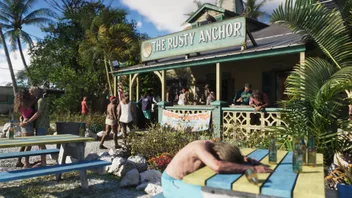 Chapter 1
Before Tourist Trap
You lose your cash and Jason's car. Six things cannot be done later.
Tourist Trap runs straight into the missions that end the chapter. Once you start it, you cannot turn back.
What you lose
- The cash you are carrying, and the money in your Checking Account.
- Jason’s car. Some stash spots are no longer safe either.
- The Keys, for a while. You are away for the first few hours of Chapter 2.
What you keep
- Money already paid into Family Savings. It cannot be taken back out, though.
- Your guns, clothes, tattoos and haircut.
So spend what you have on guns and clothes before you start it.
Gone for good if you have not done them
- Shirley’s errands. Shirley is Jason’s neighbour, and her errands can only be done in Chapter 1. MrRoflWaffles, one of the biggest GTA channels on YouTube with 2.4 million subscribers, lists two. First she asks for a bottle of rum, and bringing it gives you a permanent boost to Focus. Then she asks you to steal a mobility scooter, and after that she lets you use her car for the rest of the game.
- The five books and magazines in Jason’s house. Ashes of Glory is on the bedroom dresser. Lethal by Design is on the dining table. Orca is on the sideboard by the window. Body Copy is on the balcony, between the grill and the kettlebells. Off the Hook is on the counter in the downstairs storage room.
- Donnie’s lost drugs. These are the drop sites Cal finds for you in the swamp south-west of Hamlet. After the mission Swamped, there is also a boat to search off the east coast of Corsair Key.
- Meditating with Lucia. This comes up after the mission Down to Earth. If you are well past that mission, it may already be gone.
- The house repairs. Early in the chapter, Jason has jobs to do around the house before he collects Lucia. Once she is home you cannot do them, and they count towards the relationship.
- Three Ultimate Edition items. They are only in the game during Chapter 1. The Ultimate Edition article has the full list.
-
 Dinka Enduro
-
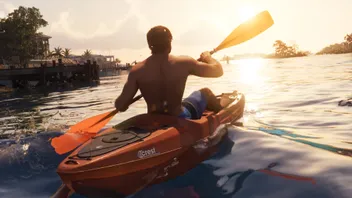 Crest Kayak
-
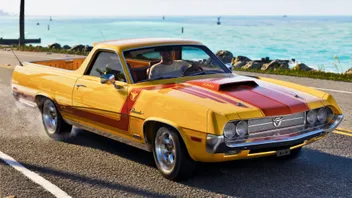 Ganado Retro Build
Comes back later
Kenton’s shipwrecks and Cal’s fishing challenge are only switched off for a while. The Illegal Operations and the Bigfoot missions stay open throughout.
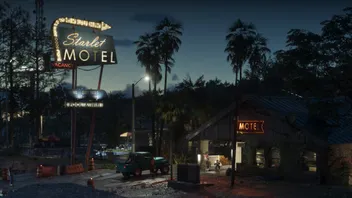 Chapter 2
Before Checking Out
The motel stops being your home for good.
Checking Out starts at the Move to Vice City marker on your map. You cannot back out once it begins.
For the first half of this chapter you can only play as Lucia.
Before you start it
- Pay Linda. She is the motel manager, and the bill grows the longer you leave it. If you bought Lucia a necklace in Chapter 1, Linda holds it until you have paid.
- Pick up the motel’s collectibles. There are three cards: on the washing machine in the laundry room, on the floor of the reception bathroom, and in the cafeteria fridge. There are two magazines: on the reception desk, and next to the radio in the cafeteria.
- Talk to Wyman. Help him with his truck and he invites you to two off-road missions, Thrillbillies and Twist Wrist, Smash, Grab.
- Look for the missing tourist. You can do this later, but it is harder once Chapter 3 has started.
You can still go back to Port Gellhorn after Chapter 3 begins.
 Chapter 3
Before The Cartel Heist
Some missions are out of reach for several hours afterwards.
The Cartel Heist is the last mission of the chapter. Chapter 4 then opens with a change that puts some missions out of reach for several hours. It is temporary.
Before you start it
- Finish the optional missions you have open. It will be a while before you can get back to them.
- Do anything on a timer. Race Against Yago is the one to make sure of.
- Get the free car and garage. MrRoflWaffles also says a small side quest for a free car and garage has to be done before Chapter 3 ends. No written guide has confirmed that one yet.
 Chapter 4
Before Sunset
Side missions on a timer can disappear for good.
Sunset moves the story into the final chapter. Some side missions are on a timer, and they can disappear once it starts. After that, the only way to play them is to load an older save.
Before you start it
- Play the side mission “This Is a Free Call From…” first. It is lost for good if you leave it.
- Finish any other side missions you have started. Some of them will not be there afterwards.
 Chapter 5
Before The End of the Road
The final mission. Make two saves in this chapter.
The End of the Road is the final mission.
- Save before Protective Custody. That mission has a choice that affects the ending.
- Save again before The End of the Road.
After the story
You can keep playing. When the credits finish, the game puts you back at an auto-save from just before the final mission. You play on as both Jason and Lucia.

Image courtesy of Rockstar Games
- Save by hand straight away. That auto-save does not last. It is replaced as you play on, or if you load an older save.
- The final mission stays on your map. You can play it again whenever you like.
- The game has more than one ending. Which one you get depends on things like your relationship level, your Criminal Profile and whether you paid into Family Savings.
- Your relationship level is locked from here. Your Criminal Profile can still change.
- No new storylines start. What is left is everything you have not finished on the map.
- Cheats open up. Completing challenges in the Progress menu unlocks them. Using a cheat switches off saving and Trophies.
There is no New Game Plus. Starting again means a new game from the beginning, with nothing carried over.
Going for 100%
The Progress menu tracks what is left. Full completion needs 15 of the 18 collectible card sets and 70 of the 80 challenges, among other things.
Guides do not yet agree on whether anything from Chapter 1 counts towards a Trophy. Push Square’s trophy guide lists none as missable so far. GamesRadar warns that missing the meditation with Lucia might cost you one.
Will your save carry into GTA 6 Online?
Nobody knows yet. GTA 6 has no online mode, and Rockstar has not announced one.
Nothing has been said about story progress, cars or money moving into an online mode. In GTA 5, GTA Online had you make a new character of its own, separate from the three leads of the story.
So there is no reason to play the story differently with online in mind. The GTA 6 Online article covers what has been said about timing.
Saving & Chapters
Frequently asked questions
How do you save in GTA 6?
Pause the game, choose Game, then Save Game, and pick one of 15 slots. You can do it at almost any time outside a mission. A separate auto-save runs after missions and when you are wasted or busted, and each one replaces the last. Turning on cheats switches saving off. Keep a save from before the last mission of each chapter.
Why can't you save in GTA 6?
Save Game is greyed out during any mission, main or side, and while the police are chasing you. It can also stay grey for a moment after a mission, a phone call or an objective, and it is switched off once a cheat is turned on. Quitting the mission, or stepping out of the building or vehicle, brings it back.
Can you replay missions in GTA 6?
No. There is no way to replay a mission once you have finished it. The only way to play one again is to load an older save, so GamesRadar suggests keeping a save at the start and end of each chapter.
What do you lose at the end of Chapter 1 in GTA 6?
After the mission Tourist Trap, the cash you are carrying and the money in your Checking Account are gone, along with Jason's car. Guns, clothes, tattoos and haircut are kept, and money already in Family Savings is safe. Shirley's errands, the five books and magazines in Jason's house and three Ultimate Edition items cannot be picked up later.

Does GTA 6 have New Game Plus?
No. GTA 6 has no New Game Plus mode. Starting the story again means a new game from the beginning, with no money, weapons or upgrades carried over. After the ending you can still keep playing your finished save and work towards 100% completion.
Can you name your saves in GTA 6?
No. GTA 6 does not let you type a name for a save. The game labels each one with the mission you are on or last finished, a completion percentage, and the date and time. Highlighting a save also shows a picture and a line about that mission. Saves can be deleted from the same screen.

What happens when you load an old save in GTA 6?
The game goes back to the moment of that save, and your other save slots are not changed. Each of the 15 slots is a separate copy of the game, so several can be kept going side by side. Only the single auto-save moves, because it follows the game you are playing. Save your current game by hand before loading an older one.
What is the point of no return in each GTA 6 chapter?
Each of the five chapters ends with a mission that cannot be undone: Tourist Trap in Chapter 1, Checking Out in Chapter 2, The Cartel Heist in Chapter 3, Sunset in Chapter 4 and The End of the Road in Chapter 5. Missions cannot be replayed, so a save made by hand before each one is the only way back.
Can you keep playing GTA 6 after the story?
Yes. After the credits the game puts you back at an auto-save from just before the final mission, and you can free roam as both Jason and Lucia. The final mission stays on the map and can be played again. Your relationship level is locked, cheats open up through challenges, and no new storylines begin.